Syntax Code Highlighter for Breakdance
A code block with syntax highlighting, line numbers, a copy button and an automatic file name. Show code in tutorials and docs without another plugin.
5 ways to style it
<?php
// Add a custom class to the body element.
add_filter( 'body_class', function ( $classes ) {
	$classes[] = 'has-breakui';
	return $classes;
} );<?php
// Add a custom class to the body element.
add_filter( 'body_class', function ( $classes ) {
$classes[] = 'has-breakui';
return $classes;
} );<?php
// Add a custom class to the body element.
add_filter( 'body_class', function ( $classes ) {
$classes[] = 'has-breakui';
return $classes;
} );<?php
// Add a custom class to the body element.
add_filter( 'body_class', function ( $classes ) {
$classes[] = 'has-breakui';
return $classes;
} );<?php
// Add a custom class to the body element.
add_filter( 'body_class', function ( $classes ) {
$classes[] = 'has-breakui';
return $classes;
} );In the editor
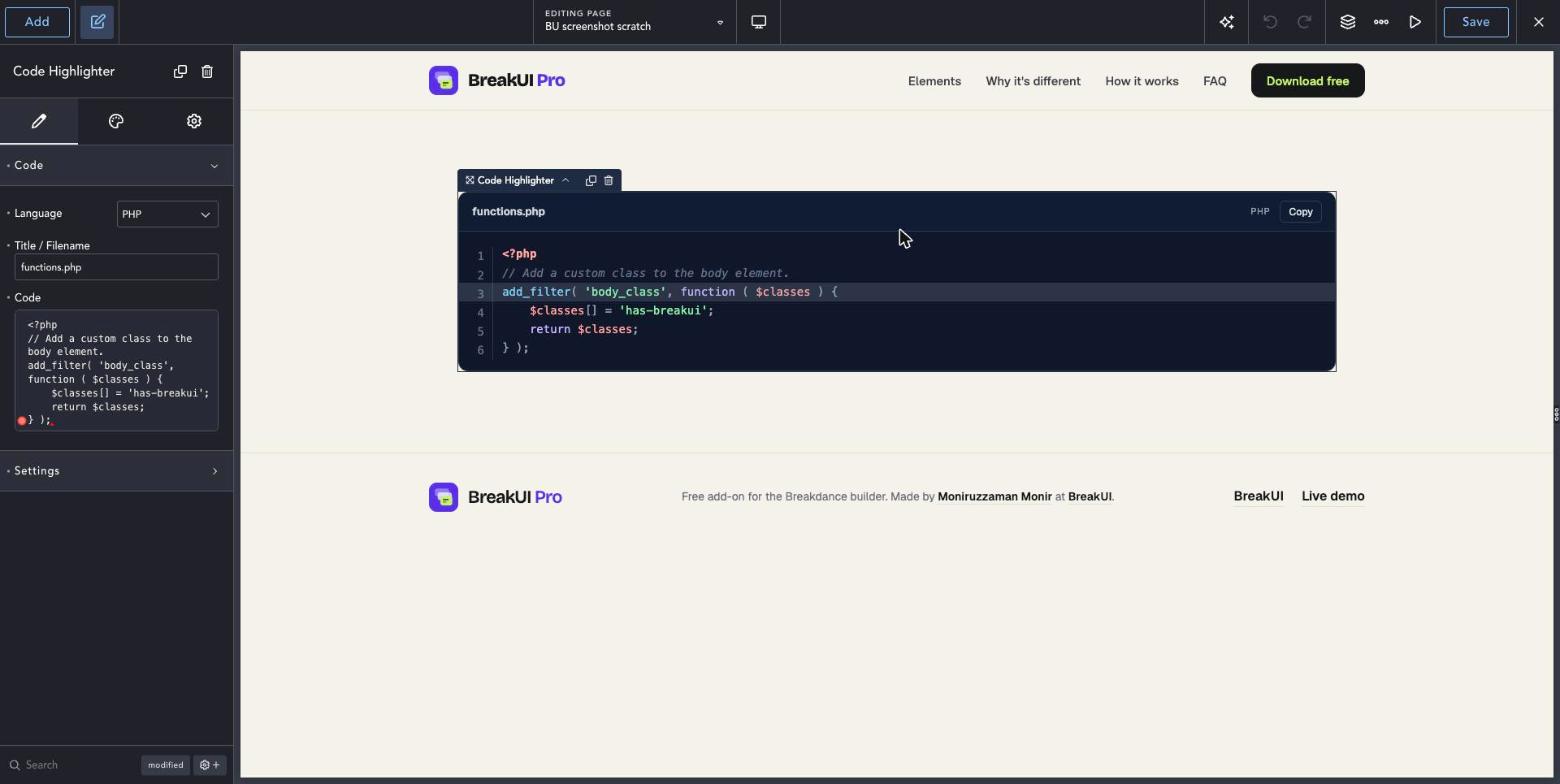
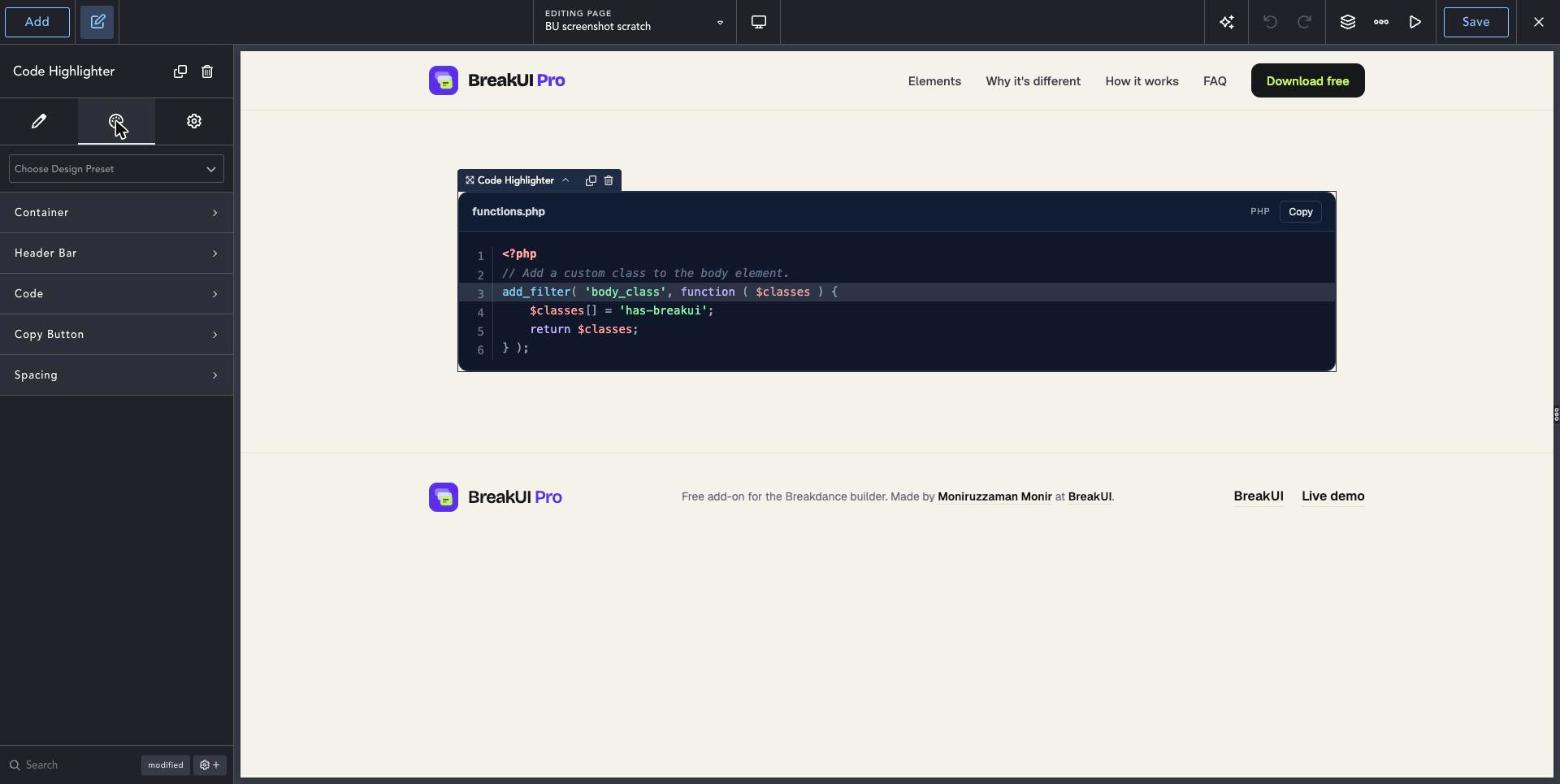
Three steps to your first Code Highlighter.
Add the element
Add Code Highlighter from the BreakUI Pro group on your tutorial or docs page.
Paste your code
Paste the snippet and pick the language. The file name fills in for you, so CSS shows style.css, and you can rename it or type your own.
Choose the look
Switch on line numbers, highlights and the copy button, and pick a light or dark theme.
Quick answers.
Common questions about Code Highlighter.
Which languages are supported?
Dozens, including PHP, JavaScript, CSS, HTML, Python and JSON. The language can be detected for you.
Is there a copy button?
Yes, with one click copy that you can switch on or off.
Can I change the file name?
Yes. It is set from the language, so CSS shows style.css. Rename it and the extension is added for you, type any custom name, or hide it.
Does it load on every page?
No. The script and styles load only on pages that use the element.
Is it included in BreakUI Pro?
Yes. It is one of the 8 elements in BreakUI Pro, $29 for unlimited sites.
Get BreakUI Pro for $29.
Install it in a minute and have your first element on the page before your coffee cools.
$29, unlimited sites
Version 2.0.22, 714 KB
- 8 elements, more on the roadmap
- One license, unlimited sites and client sites